
How to download serial numbers from your orders?Updated 5 months ago
You can now export the serial numbers of your ordered products directly from your Back Market Pro account.
How to do it:
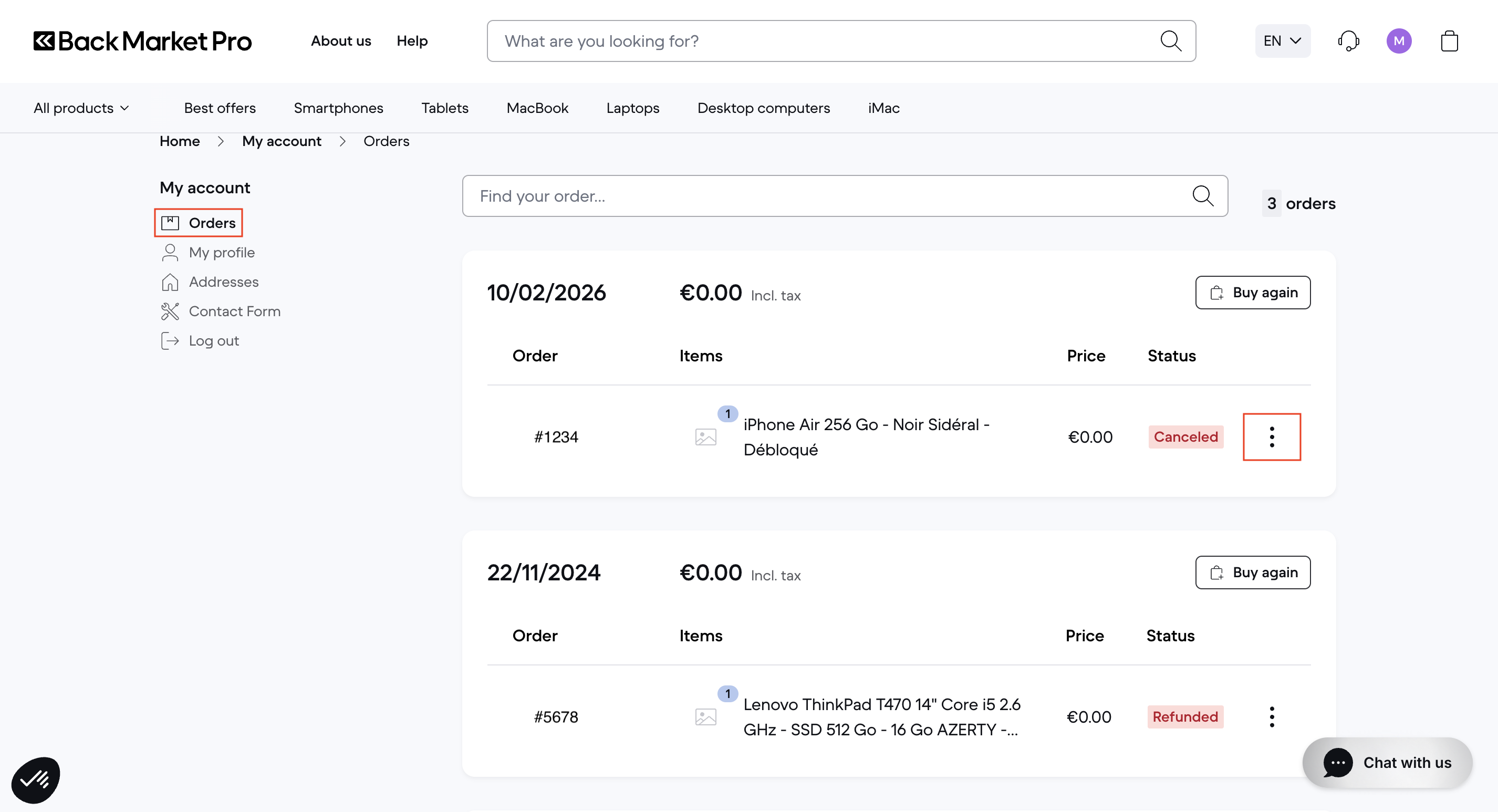
1. Go to "Orders"
2. Find the relevant order and click on the "..." menu next to the order line.
3. Click "Export serial numbers".
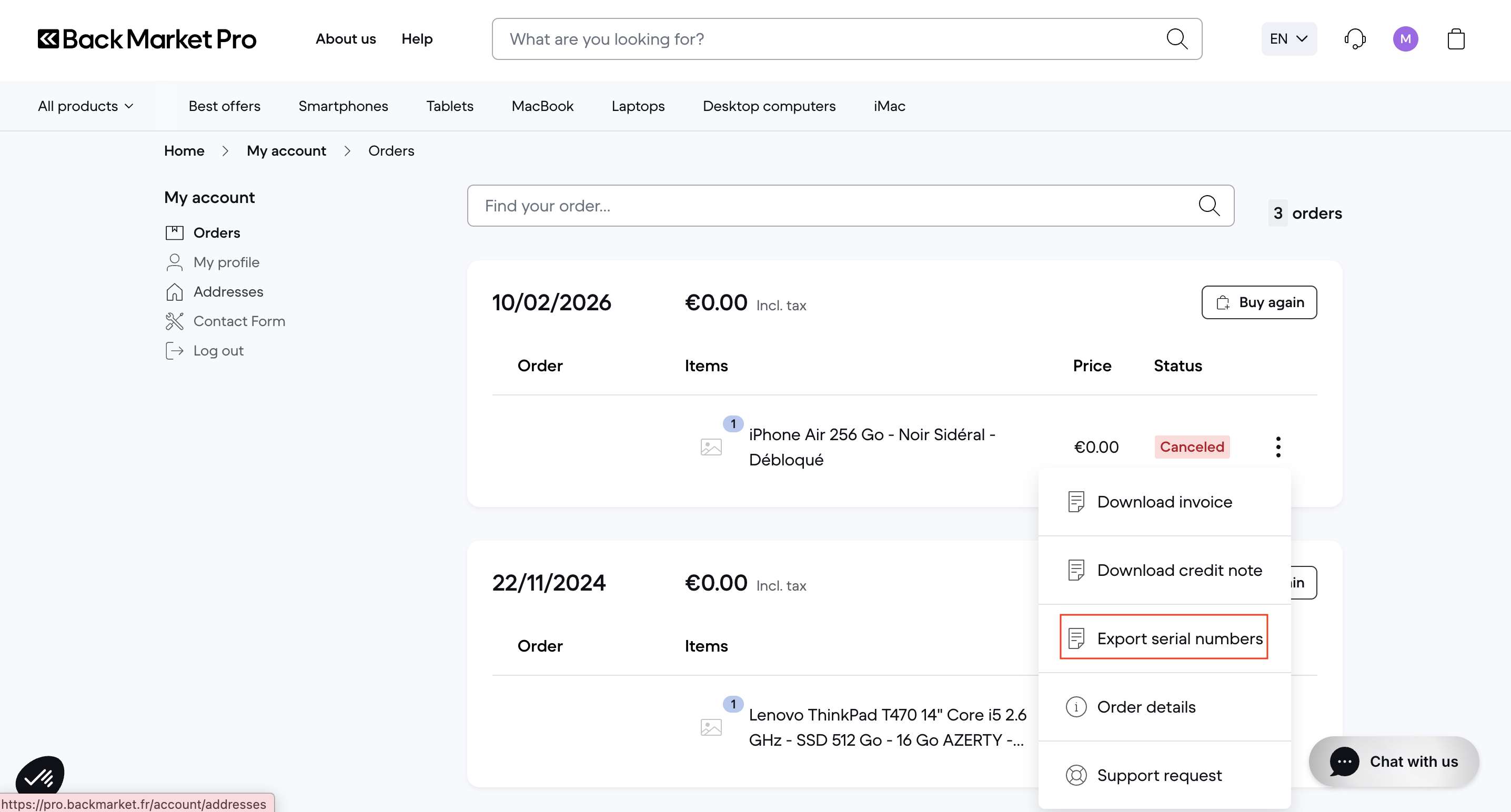
4. A CSV file will be downloaded, containing the serial number(s) associated with your order.
What does the file contain?
The exported file includes the following information: order ID, orderline ID, serial number value, and type.
Please note: This feature is currently being tested and the exported file may appear empty. It will be fully functional very soon. Thank you for your patience.