
How do I know who the seller of the product is?Updated 7 months ago
On Back Market Pro, although you cannot directly filter or search for products by seller, you can view information about the seller offering the product you are interested in.
Here's how to do it:
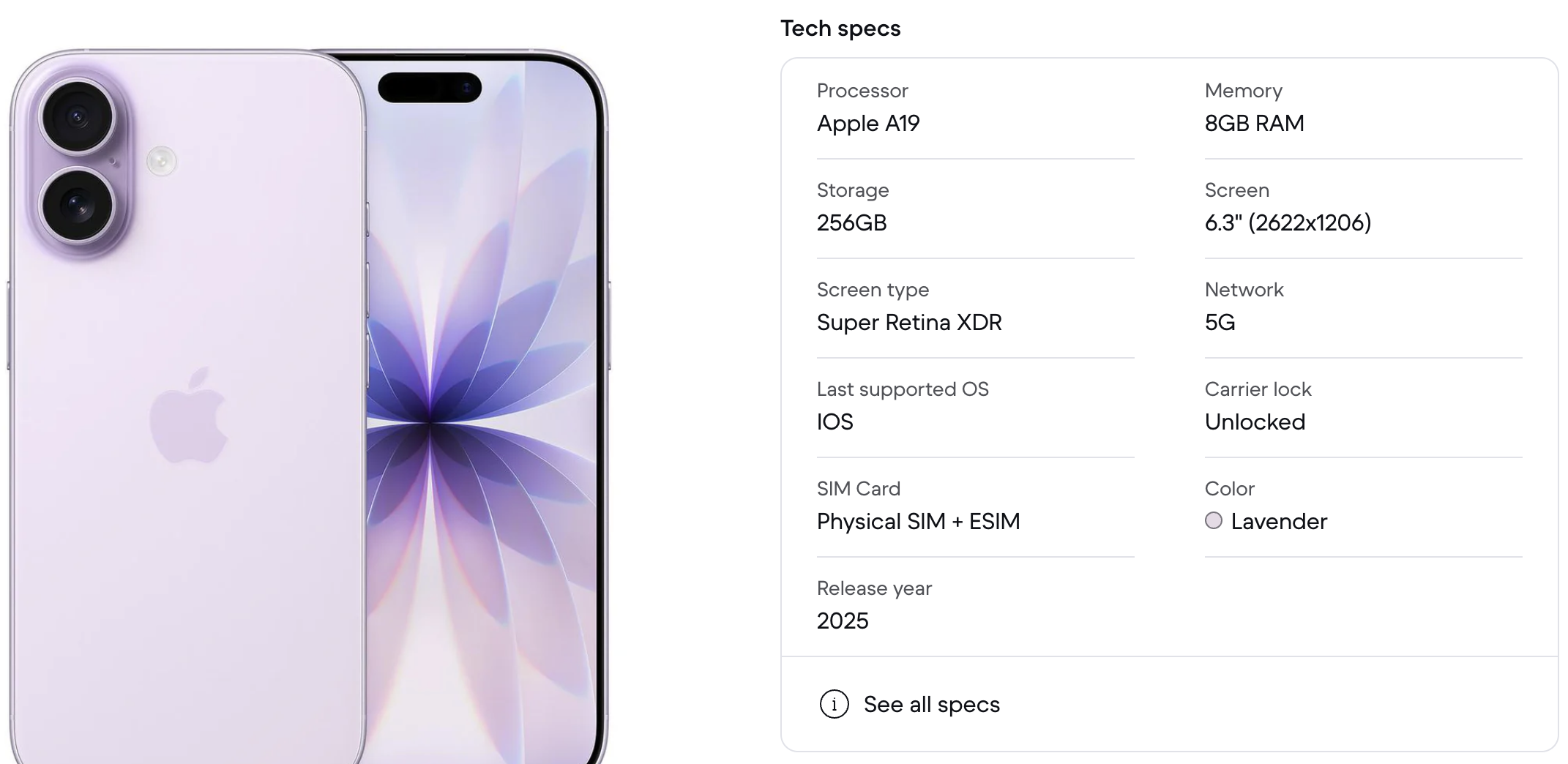
- Go to the desired product page: you will find a section called "Technical Specifications" (Tech Specs) on the product page. Here is an example:
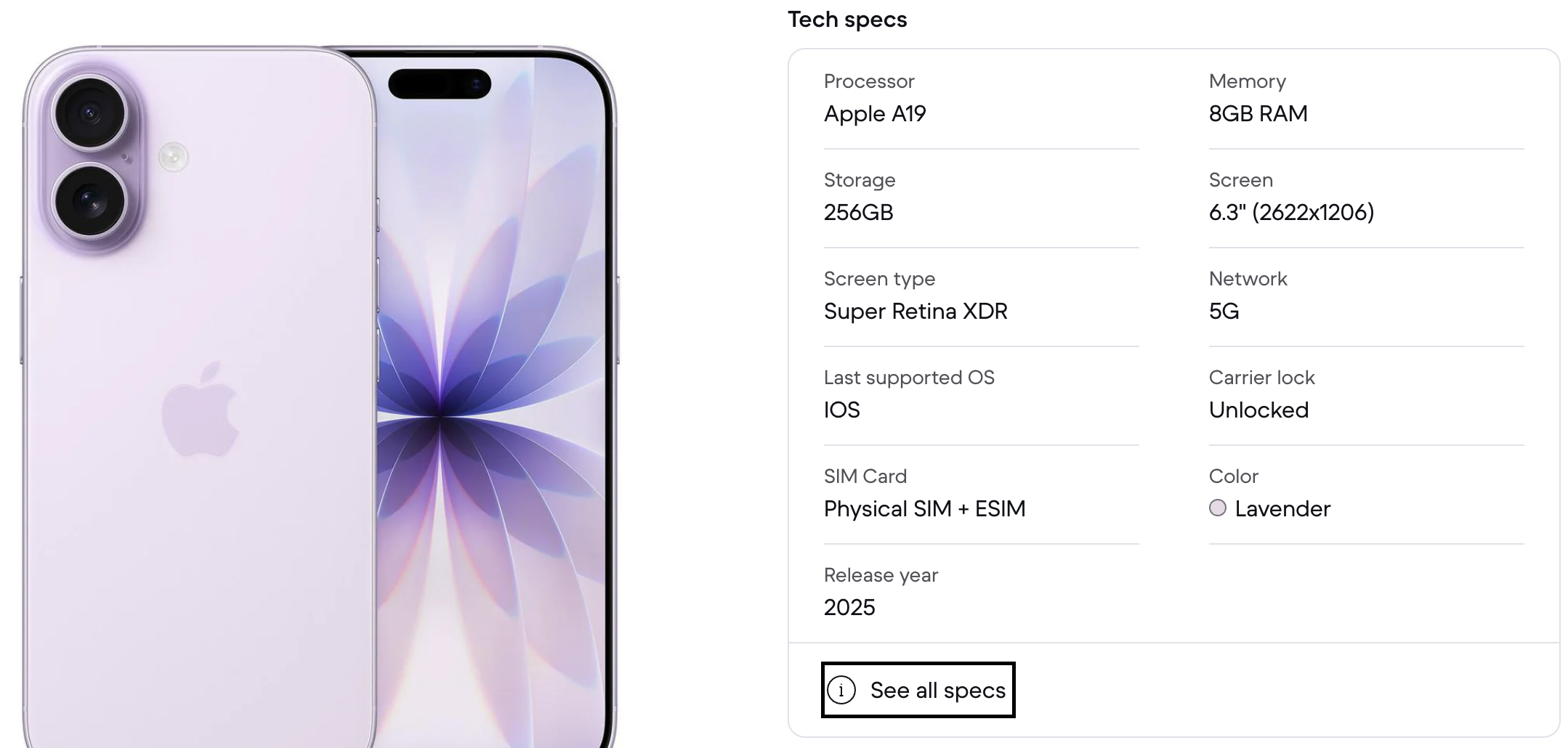
- Click on "See All Specs": This will open a window with the full product specifications, including information about the seller.
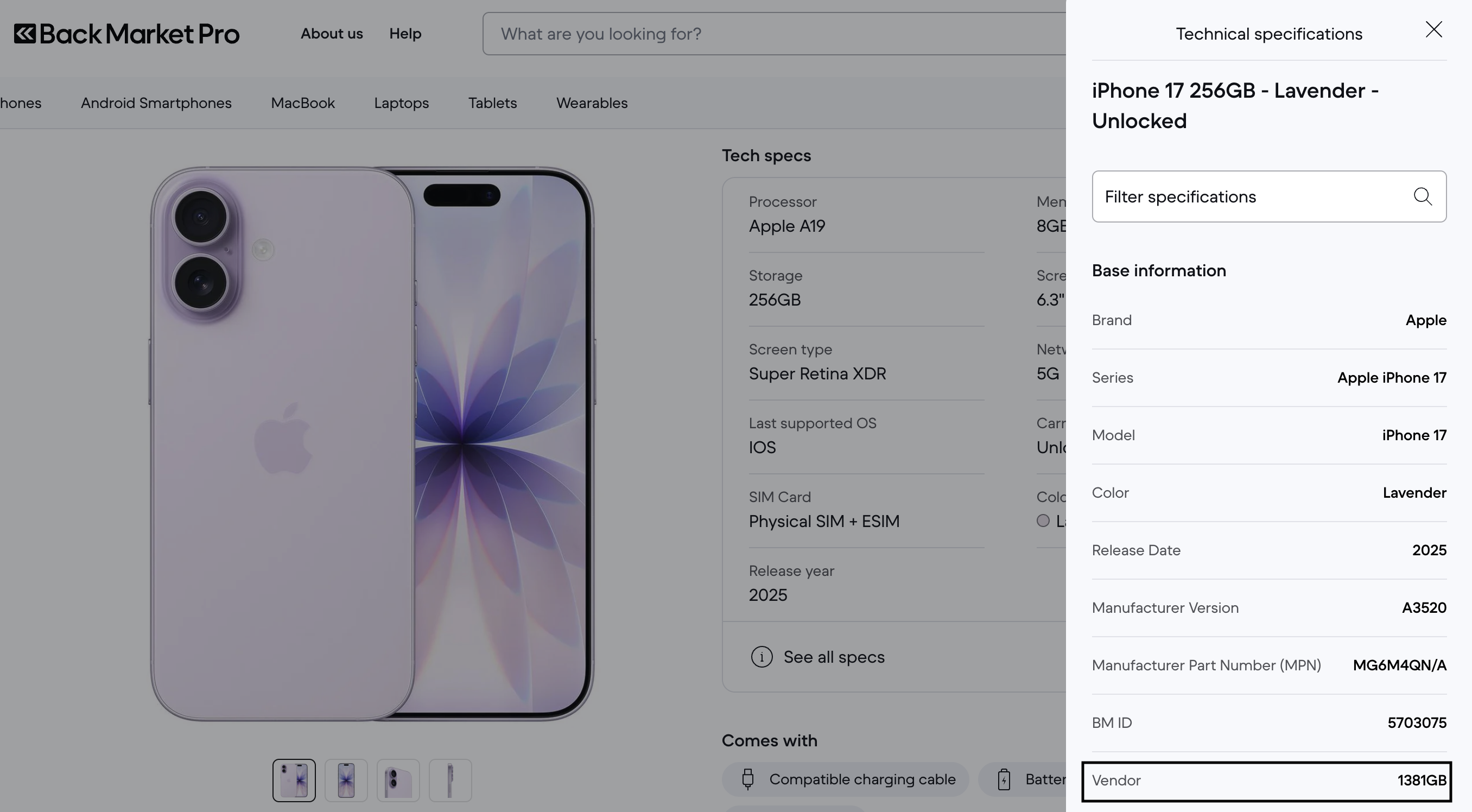
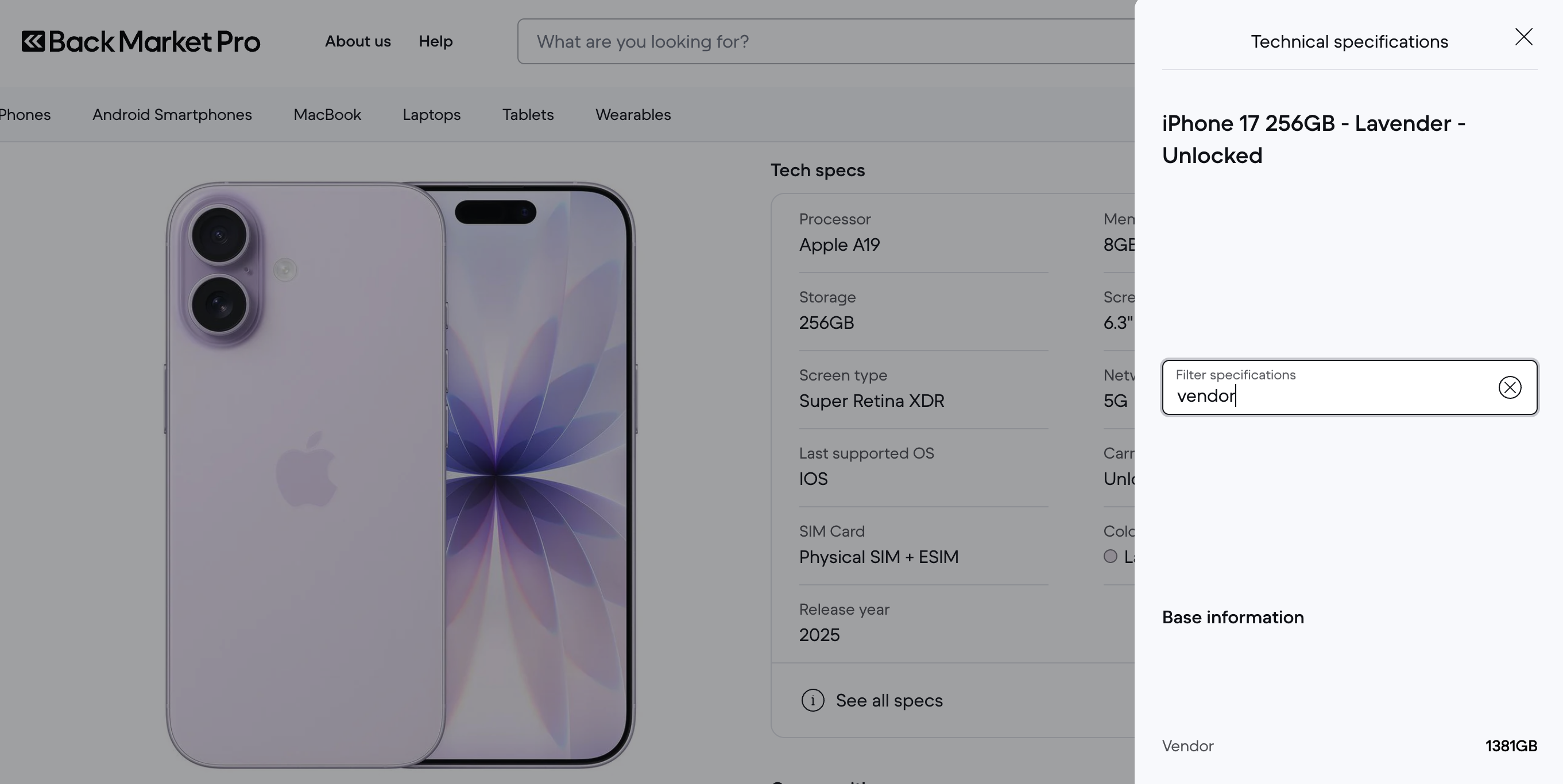
- Look for the “Vendor” field in the specifications, where a 1-5 digit code followed by "GB" will appear. This code tells you who the seller of the device is. To make your search easier, you can type “Vendor” in the search bar or scroll down to this section.
Can I see seller reviews?
On Back Market Pro, individual seller reviews are not visible on the platform. This is an intentional choice: we rigorously select our seller partners before they can sell on Back Market Pro. Only sellers who have demonstrated a high level of quality and a solid sales track record on back Market for individuals are accepted on the platform.
Therefore, regardless of which seller processes your order, you can trust in the quality of the products and service provided. Back Market Pro vouches for all sellers present on the platform.
However, you can find the seller identification number associated with the product, so you can reorder from the same seller if you wish.