
"Buy again" featureUpdated 5 months ago
"Buy again" a product you've already bought
You loved something you purchased on Back Market Pro and want to get another one? You can now do it in just a few clicks with the "Buy again" feature.
How does it work?
Head to My Account, then Orders to access your order history. The "Buy Again" button is displayed directly in your orders list, so there's no need to open each order individually to find it.
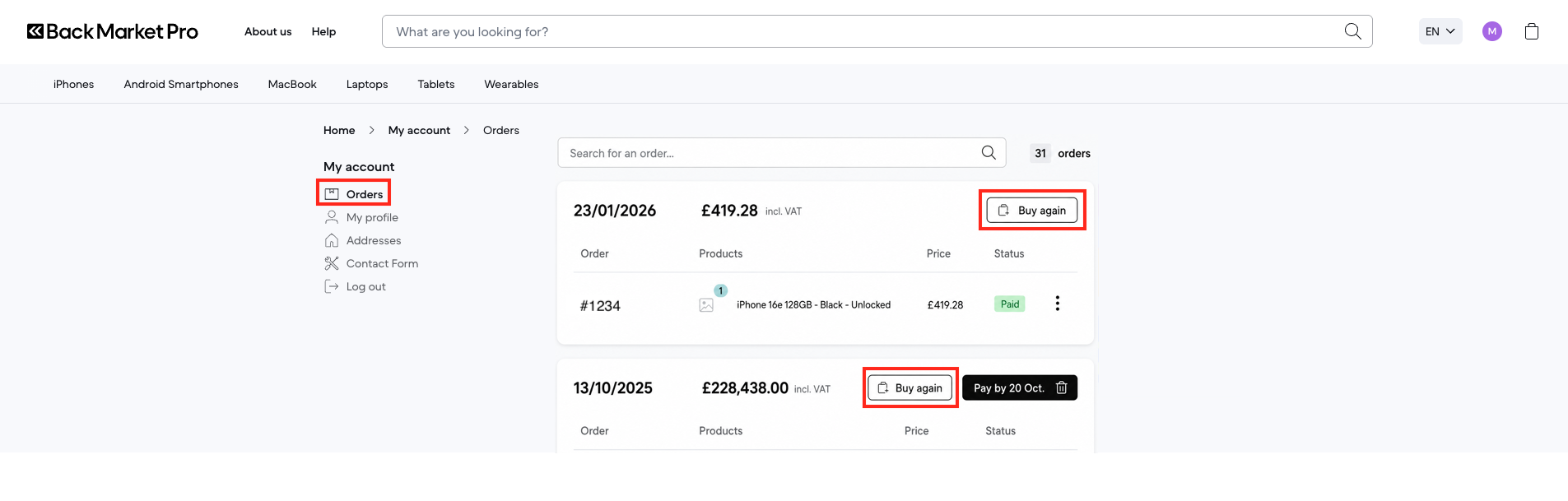
Simply click the button and the product will be automatically added to your cart, ready for you to check out.
What if the product is no longer available?
If the item is out of stock with the original seller, a "View similar products" button will appear to help you find the best available alternatives on Back Market Pro.
Please note that availability and prices may vary depending on stock levels and sellers at the time of reordering.